
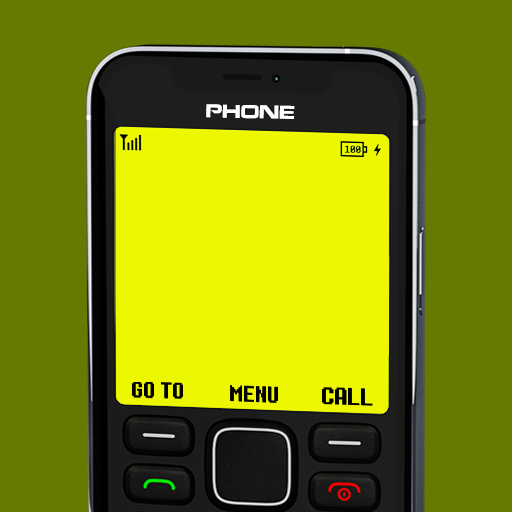
In today’s world, smartphones are powerful but also distracting. Many people miss the simple, distraction-free experience of old Nokia phones—strong battery life, button-style interface, classic ringtones, and zero stress.
The good news is: you can turn any Android phone into an old Nokia-style mobile without buying a new device. With the help of apps, launchers, and settings, your modern Android phone can feel like a classic Nokia from the 2000s.
This article explains everything step by step, including apps, features, benefits, and tips.
Why People Want the Old Nokia Phone Experience
Old Nokia phones were not smart, but they were reliable, simple, and peaceful. People now want that same feeling again.
Main reasons:
- No social media distraction
- Very simple menu and interface
- Long battery life feeling
- Classic keypad look
- Nostalgia of early 2000s
- Focus on calls and messages only
Can Any Android Phone Be Converted?
Yes ✅
Any Android phone—Samsung, Xiaomi, Vivo, Oppo, Realme, Infinix, Tecno, or even old Android models—can be converted into a Nokia-style phone.
You do not need:
- Root access
- Technical knowledge
- Expensive software
Everything works with free or low-cost apps from the Play Store.
Step 1: Install a Nokia-Style Launcher
A launcher changes the home screen, icons, and menu layout of your phone.
Best Nokia-style launchers:
- Launcher iOS + Button Style (Nokia Look)
- Simple Launcher
- Minimalist Phone
- Old Phone Launcher
- Nokia 3310 Launcher (Keypad Style)
What a launcher does:
- Converts touch UI into button-based menu
- Shows large text and simple icons
- Removes complex animations
- Makes phone look like a classic Nokia screen
🔹 After installing, set it as Default Launcher.
Step 2: Use a Button Keypad App
Old Nokia phones were famous for their physical keypad. While Android phones don’t have buttons, you can simulate them.
Recommended keypad apps:
- Classic Keypad Phone
- T9 Keyboard
- Old Phone Dialer
- Nokia Dialer Style
Benefits:
- T9 typing like old phones
- Large number buttons
- Classic call screen
- Simple SMS interface
This makes typing messages feel like a real old Nokia phone.
Step 3: Change Ringtones and Notification Sounds
Sound plays a huge role in nostalgia.
Classic Nokia sounds to use:
- Nokia Tune (default)
- Beep Beep ringtone
- Old message tone
- Classic alarm sound
You can download Nokia ringtone packs from:
- Play Store
- Free ringtone apps
- Online sound libraries
Set them for:
- Calls
- Messages
- Notifications
- Alarm
Step 4: Use a Black & White or Retro Display
Old Nokia phones mostly had:
- Black & white screens
- Very low colors
- No HD graphics
How to do this on Android:
- Enable Grayscale mode (from Accessibility settings)
- Use Retro Screen Filter apps
- Use AMOLED Black themes
Advantages:
- Reduces eye strain
- Saves battery
- Gives real classic phone feel
Step 5: Remove Smart Features & Apps
To truly feel like a Nokia phone, you must remove distractions.
Apps to uninstall or disable:
- TikTok
- YouTube
- Games
- Shopping apps
Keep only:
- Phone
- Messages
- Contacts
- Clock
- Calculator
- Notes
This turns your smartphone into a digital detox device.
Step 6: Use a Simple SMS App
Old phones had very basic SMS screens.
Best SMS apps:
- Simple SMS Messenger
- Classic SMS App
- Minimal Messages
Features:
- No chat bubbles
- Plain text view
- Easy inbox
- No ads or emojis
Step 7: Battery Saving Like Old Nokia
Old Nokia phones were famous for days of battery life.
You can’t fully match that, but you can improve it a lot.
Battery tips:
- Turn on Battery Saver mode
- Use Dark Mode
- Reduce screen brightness
- Turn off background apps
- Disable auto-sync
Result:
Your phone will last much longer, similar to old mobile usage.
Step 8: Use a Feature Phone Lock Screen
Lock screens can also be changed.
Look for:
- Old phone lock screen
- Button unlock style
- No notifications display
This removes:
- Fancy wallpapers
- Live notifications
- Smart widgets
Advantages of Turning Android into Old Nokia Phone
Major benefits:
- Better focus
- Less stress
- Reduced screen addiction
- More battery life
- Simple lifestyle
- Nostalgic feeling
Many people now use this setup as:
- Secondary phone
- Digital detox phone
- Kids’ phone
- Elderly-friendly phone
Who Should Use This Setup?
This is perfect for:
- Students who want focus
- People tired of social media
- Parents giving phone to kids
- Elderly users
- Minimalists
- Nostalgia lovers
Limitations (Honest Truth)
While this setup is great, it’s not 100% original Nokia.
Limitations:
- No physical buttons
- Touch screen still exists
- Battery not equal to 7 days
- Apps still exist in background
But 90% experience feels the same.
Final Words
Turning an Android phone into an old Nokia-style mobile is not just a trick—it’s a lifestyle choice. In a world full of notifications, this setup brings peace, simplicity, and focus.
You don’t need to buy a new phone.
You don’t need technical skills.
Just a few apps and settings—and your modern Android becomes a classic Nokia in spirit.
If you miss the days when phones were simple and life was calm, this is the best solution.